


Your Wi-Fi drops mid-client call. The scheduling system freezes on a fully booked Tuesday morning. Someone in accounting cannot reach the shared drive, and nobody is sure who to call.
Those failures add up quietly. ITIC found that six in ten businesses cannot calculate what an hour of downtime costs them, so the bill stays invisible until something breaks badly. Reliable IT network support replaces the scramble with monitoring, patching, and a support line that answers.
This guide covers what the service includes, how providers price it, how managed plans compare to break-fix billing, and what to ask before you sign.
What Is IT Network Support?
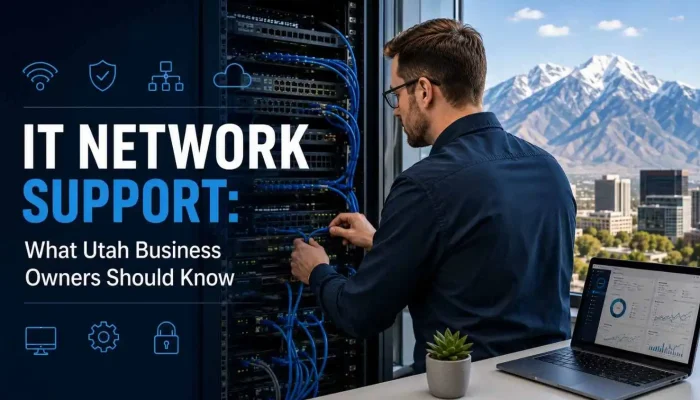
IT network support is the ongoing monitoring, maintenance, and troubleshooting of a company’s network: firewalls, switches, Wi-Fi, servers, and internet connections. Utah providers deliver it remotely and on-site, usually for a flat monthly fee per user or device, to keep systems secure, fast, and available during business hours.
The work is preventive by design. A provider watches your equipment, patches on a schedule, and fixes small faults before they become an outage customers notice.
What Does IT Network Support Include?
IT network support includes network monitoring, help desk access, firewall and endpoint security, Wi-Fi management, backup and disaster recovery, vendor coordination, and written documentation of your environment.
Most Utah providers bundle these into one agreement:
- Round-the-clock monitoring on routers, switches, firewalls, and servers, with alerts before users notice
- Help desk access for VPN, printer, login, and connectivity tickets
- Firewall and endpoint security with patch cycles, antivirus, and multi factor authentication
- Wi-Fi design and tuning for warehouses, clinics, and multi-floor offices
- Backup and disaster recovery with restore testing, not backup software running unchecked
- Vendor coordination with your internet provider, phone system, and business software
- Network documentation so you own the map of your own environment
Strong providers fold this into wider managed IT services so nothing falls between two vendors.
Why Utah Businesses Need Reliable Network Support
Utah businesses need it for two reasons: most run lean IT with one internal person or none, and many face compliance rules that expect documented security work.
On-site help along the Wasatch Front arrives in minutes, while a national help desk works in tickets and time zones. Clinics, dental offices, and businesses taking card payments also need proof of patching and access control. Utah’s Cybersecurity Affirmative Defense Act, Utah Code 78B-4-702, gives a business an affirmative defense against certain breach claims when it keeps a written cybersecurity program aligned to a recognized framework. Consistent network security work builds that record.
Managed Support vs Break-Fix: Which Fits Your Business?
Managed IT network support fits businesses with ten or more employees, an on-premises server, or regulated data. Break-fix billing suits very small offices on simple cloud setups.
| Factor | Managed plan | Break-fix |
| Cost pattern | Flat monthly fee | Hourly and unpredictable |
| Response | SLA backed, often under one hour | Depends on technician availability |
| Focus | Prevention, patching, monitoring | Repair after something fails |
| Security posture | Continuous updates and review | Checked only during a visit |
| Best fit | Teams of 10 or more, or regulated data | Small offices with simple setups |
A three-person office with no server often does fine paying hourly. Add staff, hardware, or patient and payment data, and the math flips toward a monthly plan.
What Determines the Cost of IT Network Support?
Cost depends on your provider’s pricing model and the shape of your environment. Providers price the service three ways:
- Per user: one fee per employee, covering their devices and accounts
- Per device: billed per server, firewall, or workstation, better when you own more hardware than staff
- Tiered flat rate: bundled packages by service level, from monitoring only to full management
Four factors move the quote: number of locations, on-premises servers versus cloud, compliance rules, and the response time you want guaranteed. Ask what sits outside the monthly fee, since after-hours callouts, hardware, licensing, and office moves are billed separately. Providers who publish their IT support costs save you a sales call.
What Should You Ask Before You Sign?
Ask about support hours, response times, coverage area, security framework, documentation ownership, and references before you commit:
- What hours does support actually cover, and who answers outside them?
- What is the guaranteed response time, and what happens when it slips?
- How far does on-site coverage reach, and is travel billed?
- Which security framework guides your work, CIS Controls or NIST CSF?
- Does the documentation belong to us if we leave?
- Can you share references in our industry and our area?
Providers who answer all six in writing are the safer bet. A pooled help desk is normal, so what matters is whether whoever answers can see your documented setup.
Frequently Asked Questions
Is IT network support the same as managed IT services?
Not quite. Network support covers connectivity and infrastructure. Managed IT services is the wider package, adding device management, software, cloud administration, and strategy. Most Utah providers sell both together.
How fast should a provider respond to a network outage?
Ask for a written service level agreement. Common commitments are 15 minutes to acknowledge a critical ticket and one hour for an engineer to start work.
Is network support worth it for a small business?
Often yes. Many providers scale plans for teams of five or fewer. Weigh the monthly fee against what one full day offline costs in lost billing and idle staff.
Does remote support work, or do I need someone on site?
Most tickets close remotely. On-site visits still matter for cabling, hardware swaps, Wi-Fi surveys, and new office builds.
What is a network audit, and do I need one first?
An audit inventories devices, checks firmware versions, reviews firewall rules, and flags weak points. Most providers run one before quoting a plan.
Bringing It Together
A network gets attention only when it breaks, and by then you are paying for the repair plus every lost hour behind it. Monitoring, tested backups, and a team that answers the phone cost far less than one bad afternoon. Solzorro delivers IT network support across Utah with clear response times and documentation you keep. Contact the Solzorro team for a network assessment and a quote built on your setup.