

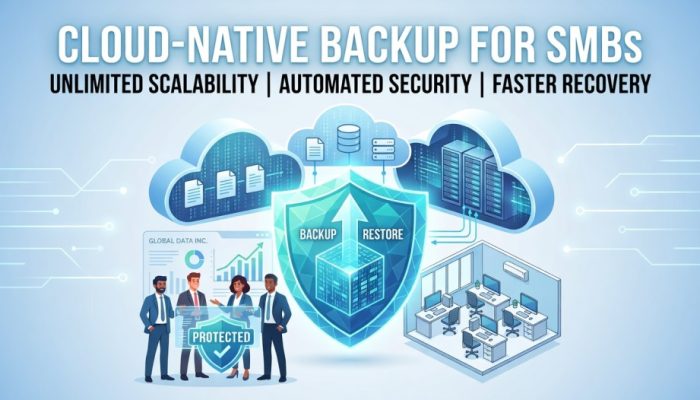

In today’s digital world, the idea that small businesses are “too small to be targeted” is a myth. SMBs are now prime targets for cyberattacks because they often lack strong security. Traditional backup methods like tapes and on-site servers are no longer enough. As businesses move to the cloud, they need cloud-native backup solutions built specifically for modern environments—making them essential for long-term security and growth.
The Vulnerability of SMBs in the Digital Age
The digital age has brought incredible efficiency, but it has also opened new doors for risk. For an SMB, a single data loss event can be catastrophic.
The Rise of Ransomware and Human Error
Cyberattacks, particularly ransomware, have become automated. Hackers use bots to scan for vulnerabilities, and SMBs often have unpatched software or limited security protocols. This is why investing in professional IT support services is critical to proactively identify and patch security gaps before they are exploited. Beyond malicious intent, human error remains a leading cause of data loss. An employee accidentally deleting a critical folder or spilling coffee on a legacy server can halt operations instantly.
The High Cost of Downtime
For a small business, time is literally money. Research shows that even an hour of downtime can cost thousands of dollars in lost productivity and missed opportunities. Unlike a corporation with deep pockets, an SMB may never recover from the reputational damage caused by being offline for several days.
Why Legacy Hardware is Failing
Traditional backup methods—like disks and tapes—require manual intervention. Someone has to remember to swap the drive or take the tape off-site. These physical components are prone to mechanical failure, theft, and natural disasters. In a fast-paced market, a cloud-native backup SMB approach removes these physical points of failure, ensuring data is always accessible, regardless of what happens to the local office hardware.
Top Benefits of Cloud-Native Backup for SMBs
Transitioning to a cloud-native model offers more than just security; it provides a competitive edge through operational efficiency.
1. Cost Efficiency: OpEx over CapEx
Traditional backup requires significant “Capital Expenditure” (CapEx)—buying servers, storage racks, and cooling systems. Cloud-native backup SMB solutions operate on an “Operating Expenditure” (OpEx) model. You pay a monthly subscription based only on what you use. This pay-as-you-go pricing keeps capital free for other business investments.
2. Seamless Scalability
One of the biggest headaches for growing businesses is outgrowing their hardware. With cloud-native solutions, scalability is infinite. Whether you are adding ten new employees or doubling your data storage needs, the cloud expands instantly without the need for you to purchase or install new equipment.
3. Automated Security and Encryption
Security is “baked in” rather than “bolted on.” Most cloud-native providers use end-to-end encryption, meaning your data is scrambled before it even leaves your computer. This provides built-in protection against accidental deletion and unauthorized access, much like the protocols used in Managed IT Services.
4. Simplified Management for Non-IT Experts
Most SMBs don’t have a 24/7 IT department. Cloud-native platforms feature intuitive, centralized dashboards. These “single pane of glass” views allow business owners or office managers to monitor backup status with a glance, eliminating the need for complex coding or server management.
5. Faster Recovery Times
In a disaster, the “Restore” is more important than the “Backup.” Cloud-native solutions offer near-instant recovery. Because the data is stored in a virtual environment, you can often spin up a “snapshot” of your system in minutes, keeping your business running while the local issues are resolved.
Cloud-Native vs. Traditional Backup: The Key Differences
Understanding the technical leap between these two methods is vital for making an informed decision.
| Feature | Traditional Backup (On-Premise) | Cloud-Native Backup |
|---|---|---|
| Installation | Days/Weeks (Hardware setup) | Minutes (Account creation) |
| Maintenance | High (Manual updates/hardware checks) | Zero (Handled by provider) |
| Recovery Speed | Slow (Dependent on hardware transport) | Instant (Digital streaming/restoration) |
| Physical Risk | High (Fire, theft, flood) | Non-existent (Geographically redundant) |
| Cost Model | Large upfront investment | Affordable monthly subscription |
Compliance and Peace of Mind
For businesses in healthcare, finance, or legal sectors, data handling isn’t just a choice—it’s a legal requirement.
Meeting Industry Standards Effortlessly
Regulations like GDPR, HIPAA, and CCPA require strict data handling and “the right to be forgotten.” A cloud-native backup SMB solution often comes with built-in compliance tools. These platforms automatically log data access and ensure storage meets the specific encryption standards required by law, saving you from hefty legal fines.
The “Set it and Forget it” Mentality
The greatest benefit to a busy entrepreneur is mental bandwidth. When your backup system is automated and cloud-based, you no longer have to worry about “did the backup run last night?” The system handles the heavy lifting, allowing you to focus on sales, marketing, and customer service.
How to Choose the Right Solution
Not all cloud backups are created equal. When shopping for a cloud-native backup SMB provider, look for these three pillars:
- Incremental Backups: To save bandwidth and time, the system should only back up the changes made to files rather than re-uploading the entire database every day.
- Multi-Platform Support: Ensure the provider protects all the tools you use, such as Microsoft 365, Google Workspace, and your local desktop files.
- 24/7 Customer Support: If a crisis happens at 2:00 AM on a Saturday, you need to know a human expert is available to help you recover your data.
FAQs
Is cloud backup safe for sensitive data?
Yes. It uses AES 256-bit encryption. With strong passwords and MFA, your data is highly secure.
How much does cloud-native backup cost?
Typically $10–$50/month, depending on data size. It’s predictable with no surprise costs.
Does it slow down my internet?
No. It runs in the background, with scheduled backups and incremental syncing to avoid lag.
Conclusion
The transition to a cloud-native backup SMB model is a clear signal that your business is ready for the future. In an era where data is the lifeblood of commerce, failing to protect it is a risk no business can afford. By embracing the cloud, you gain more than just a copy of your files; you gain scalability, ironclad security, and the agility to recover from any setback.
Ultimately, backup isn’t just a boring IT task—it is an insurance policy for your brand’s reputation and a foundation for your future growth. Protect your business today. Contact us for a free audit or to start your trial today.