


Your internet drops during a client call. Your files won’t sync. Your team wastes an hour waiting for someone to just pick up the phone. If this sounds familiar, you’re probably searching for a local IT support company that actually answers when you need help.
Most business owners are unaware of how important this is. Every hour of downtime costs money. Going without a reliable local IT support company puts your data, your reputation, and your daily operations at risk. Most businesses only notice how bad their current support really is after something breaks, and by then it’s already expensive.
The fix isn’t complicated. Locate a nearby IT support provider that is familiar with your systems and has quick response times. One that treats your business like it matters, not like ticket number 47 in a queue. Here’s exactly what to look for before you sign anything, and a few mistakes that quietly cost businesses thousands.
Why Local IT Support Is More Important Than You May Imagine
A local provider can visit your office the same day if needed. They understand regional compliance rules, local internet providers, and the specific challenges businesses in your area face. Remote-only support often means long wait times and generic troubleshooting scripts that don’t fit your setup.
Working with a nearby team builds trust faster, too. You can sit across the table from them and ask direct questions. That kind of support feels personal. It’s a lot different from getting bounced around a call center overseas while your team sits idle.
Here’s the part most business owners miss: the cheapest option rarely turns out to be the cheapest in the long run. A slow response during a server crash can cost more in lost sales than a year of proper support would have.
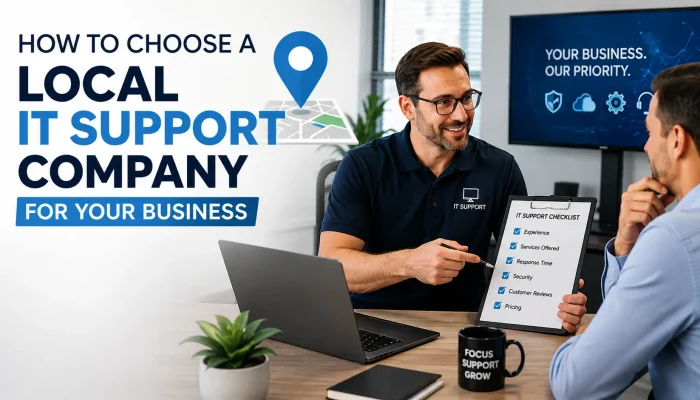
Important Things to Take Into Account While Selecting a Local IT Support Firm
Picking a local IT support company is not just about price. It’s about finding a partner who keeps your business running smoothly every single day, especially on the days something goes wrong.
Response Time and Availability
Ask how fast they respond to critical issues. A good provider offers guaranteed response times, not vague promises like “we’ll get to it soon.” Look for 24/7 monitoring and an emergency line, especially if your business depends on constant uptime.
Range of Services Offered
Your needs will grow over time. Choose a company that offers full managed IT services, not just one-off fixes, covering network management, cybersecurity, cloud backups, disaster recovery, and help desk support under one roof. This saves you from juggling five different vendors when something breaks at 2 am.
Industry Experience
A provider familiar with your industry already understands your compliance needs, data security requirements, and typical software setup. Healthcare and law firms, for example, need stricter data handling than a retail shop does. You can review Solzorro’s IT support services to see how experience shapes the right approach for different industries.
Transparent Pricing
Steer clear of businesses that conceal costs in fine print. Ask for a clear breakdown of monthly costs upfront. Find out what counts as an emergency call, and whether hardware or software fees get added later without warning.
Client Reviews and References
Check Google reviews and ask for a couple of references. Also look at how long they’ve actually been serving businesses in your area. Longevity, paired with consistent reviews, is usually a good sign that they deliver on what they promise.
Still comparing providers? A quick way to cut through the noise: ask each one the five questions below, and see who actually answers clearly instead of dodging.
Red Flags to Watch Out For
A few warning signs mean it’s time to keep looking:
- No clear service level agreement (SLA)
- Communication that is imprecise or slow during the sales process
- No local office or on-site support option
- Pushy sales tactics instead of honest answers
- Insufficient knowledge of your particular software or sector
Notice two or more of these? Keep looking. A trustworthy local IT support company answers your questions directly and doesn’t pressure you into signing fast. If anything, they should be the ones asking you questions about your setup first.
Questions to Ask Before Signing a Contract
Before you commit, ask these questions:
- How long does it usually take you to respond to important issues?
- Do you provide solely reactive support or proactive monitoring?
- Can you provide references from businesses similar to mine?
- What happens if I need to cancel the contract early?
- Is cybersecurity included, or is it a separate service?
Their answers may tell you a lot about their degree of reliability and transparency. A confident provider answers all five without hesitation. A shaky one gives you vague, roundabout answers, and that’s your cue to walk away.
Frequently Asked Questions
What does a local IT support company typically include?
Not every IT company offers the same range, but most local IT support companies cover network management, help desk support, cybersecurity monitoring, data backup, and on-site troubleshooting. Some also handle cloud migration and software licensing as part of full managed IT services.
How much does a small business have to pay for local IT support?
Pricing depends on your team size and how much support you actually need. Most small businesses end up paying a flat monthly fee that covers unlimited tickets and basic monitoring. Before you sign anything, get a written quote.
Is local IT support better than a remote provider?
Local support means faster on-site response and a better handle on regional needs. Remote providers can still work fine, especially if communication is solid. But when something breaks physically, local support usually wins.
How do I know if my current IT support is failing me?
Warning signs include slow response times, repeated unresolved issues, lack of proactive monitoring, and unclear billing. If problems keep recurring, it’s probably time to switch providers.
What should a small business look for first in an IT provider?
Start with response time and communication style. A provider who answers fast and explains things clearly usually delivers better support over time. Price alone won’t tell you much.
Final Thoughts
Choosing the right small business IT support partner protects your business from costly downtime and security risks. Focus on response time, industry experience, and honest pricing. Skip the provider that chases the lowest quote, and pick the one that actually answers the phone.
The businesses that get this right rarely think about their IT support at all, because it just works. The ones that get it wrong find out the hard way, usually during their busiest week of the year.
Get in touch with Solzorro right now if you’re prepared to work with a team that treats your systems like their own. There won’t be any pressure or hard sell, simply an honest assessment of what your company really needs.