

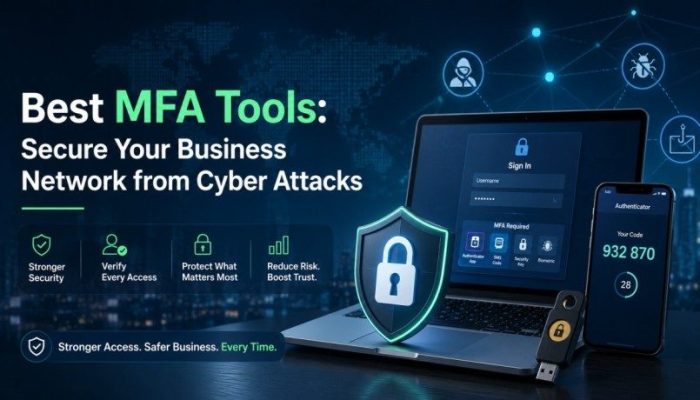

Securing digital identities has become a top priority for modern organizations. Standard passwords are no longer sufficient to protect sensitive data, as the number of data breaches increases annually. Cybercriminals use sophisticated phishing campaigns and credential stuffing attacks to compromise business networks. To prevent unauthorized access, companies must implement multi-factor authentication.
Deploying effective MFA tools adds layers of protection to your security infrastructure. Businesses using professionally managed IT services can implement these systems to require users to provide multiple forms of verification before gaining access to applications and corporate resources.
What Are MFA Tools and Why Do They Matter?
MFA tools are software solutions that verify a user’s identity by requiring two or more pieces of evidence during login. These verification pieces fall into three main categories: something you know (like a password), something you have (like a mobile device), and something you are (like a fingerprint).
When organizations use multi-factor authentication, they mitigate the risk of compromised passwords. Even if an attacker steals an employee’s login credentials, they cannot access the system without the secondary authentication factor. This setup forms the foundation of modern identity and access management policies.
The Rise of Identity Theft and Cyber Risks
Static passwords are the weakest link in corporate security. Employees often reuse passwords across multiple platforms, making it easy for hackers to exploit security gaps. Implementing single sign-on systems paired with identity verification mechanisms helps control user access across all cloud applications and on-premises networks.
Top MFA Tools for Modern Enterprise Security
Choosing the right identity provider depends on your business infrastructure, budget, and compliance requirements. Below are the leading authentication systems that offer comprehensive security layers for businesses.
1. Cisco Duo Security
Cisco Duo is a highly popular option for organizations seeking scalable identity verification solutions. It provides seamless push notifications to mobile devices, making authentication quick for employees.
- Key Features: User-friendly push notifications, device health checks, and deep integration with single sign-on software.
- Best For: Enterprise environments needing robust endpoint security and visibility.
2. Microsoft Entra ID
Formerly known as Azure Active Directory, Microsoft Entra ID offers built-in multi-factor authentication for companies using the Microsoft ecosystem. It uses conditional access policies to evaluate login risks in real time.
- Key Features: Conditional access, biometric login via Windows Hello, and seamless integrations with Office 365 platforms.
- Best For: Businesses heavily reliant on Microsoft cloud systems.
3. Okta Workforce Identity
Okta is a dedicated leader in identity and access management. Its adaptive authentication features analyze user behavior, location, and device status to determine if an extra security layer is necessary.
- Key Features: Adaptive MFA, extensive integration marketplace, and smooth user access management.
- Best For: Companies with complex hybrid cloud environments.
Key Features to Look For in Authentication Systems
Not all identity verification platforms are built equal. When evaluating software to protect your company network, prioritize features that offer both maximum security and a smooth user experience.
Adaptive and Conditional Authentication
Modern cybersecurity challenges require smart solutions. Adaptive authentication looks at contextual clues such as geographic location, time of login, and IP address anomalies. If an employee logs in from Utah and then attempts another login from an overseas location five minutes later, the system flags the request and demands extra verification.
Support for Passwordless Authentication
Eliminating passwords reduces the attack surface of your organization. Look for systems that support FIDO2 standards, security keys, and biometrics. Passwordless setups streamline user access while maximizing defensive barriers against credential stuffing.
Comprehensive Compliance and Reporting
Regulated industries need detailed logs of user access events. The right security tools provide auditing features that track successful and failed logins, helping your IT department maintain compliance with framework standards like HIPAA or PCI DSS.
Step-by-Step Implementation Strategy
Deploying identity management software requires careful planning to avoid disrupting employee workflows. Follow this roadmap for a successful rollout.
1. Audit Corporate Infrastructure: Map out all applications, cloud databases, and hardware endpoints that require protection.
2. Define Access Policies: Establish conditional rules determining when users must provide secondary verification factors.
3. Conduct Employee Training: Teach staff how to use push notifications and authenticator applications properly.
4. Pilot and Launch: Roll out the new authentication rules to a small IT group before executing a company-wide launch.
Common Challenges in Identity Verification Deployment
While multi-factor authentication reduces security risks significantly, companies often face friction during adoption.
Managing User Friction
If the authentication process takes too long, employee productivity drops. Choosing tools that support rapid push notifications or biometrics keeps workflows fast and efficient.
Hardware Dependencies
Some employees might object to installing corporate authenticator applications on personal smartphones. In these scenarios, businesses should provide hardware security keys to ensure everyone can authenticate safely.
Frequently Asked Questions
What distinguishes MFA from 2FA?
Exactly two types of identity validation are needed for two-factor authentication. The term “multi-factor authentication” is more general and can refer to two or more security levels, frequently including contextual information such as device health and location.
Can hackers bypass MFA tools?
Yes, cybercriminals use advanced techniques like session hijacking, SIM swapping, and MFA fatigue attacks where they spam users with push notifications. However, using adaptive authentication and passwordless keys greatly minimizes these risks.
Are authenticator apps safer than SMS codes?
Yes, SMS text codes are highly vulnerable to interception via SIM swapping attacks. Authenticator applications that generate time-based codes or send encrypted push notifications are far more secure.
Conclusion: Upgrade Your Cybersecurity Architecture Today
Relying on weak credentials invites data breaches and system compromises. Implementing robust MFA tools ensures that only verified personnel gain entry to your sensitive business databases. Combining these authentication measures with a comprehensive identity and access management strategy forms a resilient defense against modern digital threats.
Ready to protect your business network from evolving cyber attacks? Visit our internal MFA Tools Resource Page to explore detailed setup guides, or Contact Us today to build a custom cybersecurity infrastructure tailored to your organizational needs.