

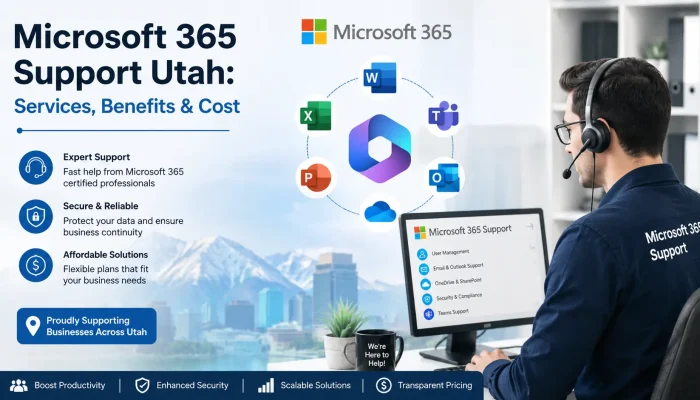

Outlook stops syncing on a Monday morning. A shared SharePoint folder disappears before a deadline. Teams drops calls in the middle of a client demo. You open a ticket with Microsoft, then wait.
For most small and midsize companies, that wait is the real cost. Nobody on staff owns the tenant, so nobody can tell whether the culprit is a license, a Conditional Access rule, or an outage on Microsoft’s side. That gap is exactly why Utah businesses start shopping for Microsoft 365 support with a real person attached.
This guide breaks down what Microsoft’s own help desk handles, where a local IT partner picks up the slack, what the service typically costs, and which questions to ask before you sign anything.
What Is Microsoft 365 Support?
Microsoft 365 support covers troubleshooting, licensing, security configuration, and user management across Exchange Online, Teams, SharePoint, and OneDrive. Microsoft handles platform outages and billing. A managed service provider handles tenant setup, migrations, data recovery, and the daily user issues Microsoft’s desk will not touch.
What Does Microsoft 365 Support Actually Cover?
Two very different services share the same name, and confusing them costs companies money. Microsoft supports the platform: outages, billing disputes, and product defects. Everything about how your business configures and uses that platform belongs to you or to your IT provider.
| Issue | Microsoft’s help desk | Managed IT partner |
| Service outage in Exchange or Teams | Yes | Monitors and communicates status |
| Password resets and account lockouts | Limited | Yes |
| Mailbox or tenant migration | No | Yes |
| MFA and Conditional Access setup | Guidance only | Yes, fully configured |
| Recovery past retention windows | No | Yes, with third party backup |
| Employee onboarding and offboarding | No | Yes |
| License right sizing | Billing only | Yes |
Microsoft publishes its own response targets, and they make the difference clear. A Severity A case, which means critical business impact, gets an initial response in under one hour. Severity B cases get a response within four hours, while Severity C cases get a response within eight hours on a Standard plan. Read that carefully: the initial response means an engineer has opened your case. It does not mean your email is working again.
The retention trap most owners miss
Microsoft secures the infrastructure, but you own the data inside it. Deleted items in Exchange Online stay available for 14 days by default, or up to 30 days with the right configuration. SharePoint and OneDrive keep files in the recycle bin for 93 days across both stages, and Microsoft does not allow you to extend that window. If you miss that window, you lose the file. Therefore, a proper backup plan should be part of any serious cloud data protection strategy.
Signs Your Business Needs Dedicated Microsoft 365 Support
- Password resets and lockouts eat hours of your week
- New hires wait days for a mailbox, a license, and Teams access
- MFA is switched on for some staff and quietly skipped for others
- You pay for E3 licenses while most users need Business Premium
- Nobody has tested whether deleted mail can actually be restored
- Phishing emails reach inboxes because Defender rules were never tuned
Two or more of these means the tenant is running on autopilot. That is a security problem before it becomes an IT problem.
How Much Does Microsoft 365 Support Cost in Utah?
Pricing depends on scope, not headcount alone. For example, Utah providers commonly quote co-managed Microsoft 365 support at roughly $25 to $60 per user per month. This pricing typically covers helpdesk support, admin center management, and security policy upkeep. In contrast, fully managed IT adds endpoint, network, and vendor management, so it usually costs between $100 and $200 per user per month.
Project work is priced separately. For example, a tenant migration for a 25-person firm typically costs a few thousand dollars, depending on mailbox size and legacy data. Before choosing a provider, ask whether after-hours coverage is included in the retainer or billed separately. This single line item can significantly affect your actual IT budget.
How to Choose a Microsoft 365 Support Partner
- Confirm Microsoft Partner status. Find out what skills the provider has and which employees hold current certifications.
- Read the response SLA, not the marketing page. Look for a written first-response time and a clear escalation path to Microsoft.
- Check for third-party backup. A provider that treats the recycle bin as a backup does not understand Microsoft 365 backup requirements.
- Ask about security baselines. MFA, Conditional Access, and Defender for Office 365 should come standard, not as paid upsells.
- Request local references. A provider that works with similar Utah businesses will already understand common compliance and staffing needs.
Verify claims against Microsoft’s own service health and support documentation before you commit.
Frequently Asked Questions
Does Microsoft offer free support for Microsoft 365 Business plans?
Yes. Admin support is included with paid business subscriptions at no extra charge. Coverage focuses on billing, licensing, and platform defects rather than your configuration or your users.
Can I get Microsoft 365 support outside business hours?
Microsoft provides around-the-clock coverage for critical cases. Lower severity issues are handled during business hours, which is why many Utah companies add a local partner with evening and weekend response.
Do I still need backup if Microsoft already stores my data?
Yes. Microsoft protects the service, not your content. Once retention windows close, deleted mail and files are unrecoverable without third-party backup.
How long does it take a small business to migrate to Microsoft 365?
Most 10 to 50 user migrations finish in two to four weeks. Discovery and mailbox sync take the bulk of that time, and cutover usually happens over a weekend.
Which Microsoft 365 plan fits a small Utah business?
Business Premium suits most companies with fewer than 300 users because it bundles Entra ID P1, Intune, and Defender. Enterprise E3 or E5 makes sense once you need advanced compliance or larger scale.
Can a partner manage Microsoft 365 without taking over all our IT?
Yes. Co-managed arrangements are common. Your internal staff keeps day-to-day control while the partner handles tenant administration, security, and escalations.
Conclusion
Downtime does not care whose responsibility it is. The businesses that recover fastest are the ones that decided in advance who owns the tenant, who answers the phone, and where the backups live.
Solzorro provides Microsoft 365 support for Utah businesses that want direct answers instead of ticket queues. Reach out for a free tenant review, and we will show you exactly where your setup is exposed.