

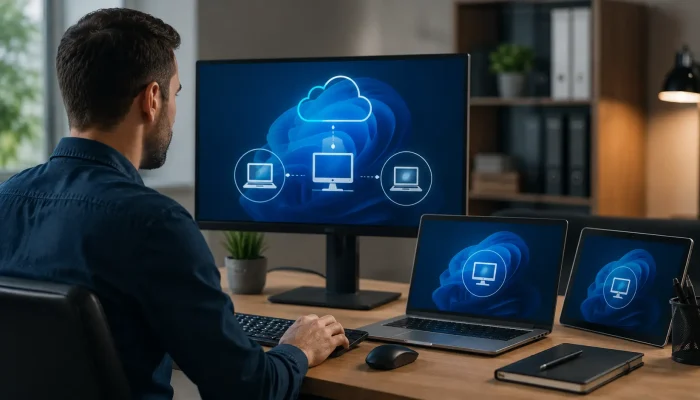

Your team is spread across an office in Lehi, a job site outside Ogden, and a home setup in St. George. Everyone needs the same files, the same estimating software, the same printer mapping. Today they email versions back and forth and hope nothing breaks.
That patchwork slows people down and quietly opens security gaps. Remote desktop services fix the root problem by hosting the desktop on a central server, so staff sign into one controlled environment instead of a dozen unmanaged laptops.
This guide covers how the technology works, what it costs, how it compares with a VPN, and the security controls worth insisting on. You will be able to determine if it is a good fit for your team by the end.
What Are Remote Desktop Services?
Remote desktop services are a Windows Server role that hosts full desktops or individual apps on a central server and streams the screen to a user’s device. Staff connect from a laptop, tablet, or thin client, while processing, files, and licenses stay on the server. Only keystrokes, clicks, and screen images cross the connection.
How Do Remote Desktop Services Work?
A deployment splits the job across five roles, which can share one server or spread out as headcount grows.
- RD Session Host: runs the shared desktops and published apps people work in.
- RD Connection Broker: routes people to the right session and reconnects dropped links.
- RD Gateway: wraps RDP inside HTTPS on port 443, so port 3389 never faces the internet.
- RD Web Access: a browser based launcher for RemoteApp programs.
- RD Licensing: tracks client access licenses, issued per user or per device.
Day to day, a user opens the Windows App or a browser, authenticates, and lands in the same session every time. Profile containers such as FSLogix carry settings and files across devices.
Why Utah Businesses Rely on Remote Desktop Services
Growth along the Wasatch Front has pushed plenty of small IT setups past their limits. A few patterns repeat:
- A Salt Lake City headquarters plus branches in Provo or Washington County.
- Construction, solar, and HVAC crews running dispatch software from a truck.
- Clinics and dental practices where patient records should never sit on a personal laptop.
- Seasonal hiring at resorts and tax firms, where onboarding means an account, not a laptop order.
- Older apps that crawl over a VPN but run fine beside their database.
A provider already handling your managed IT services can fold session hosts into existing patching and monitoring, keeping monthly costs predictable.
Remote Desktop Services vs VPN vs Virtual Desktop Infrastructure
| Factor | Remote desktop services | VPN | VDI or DaaS |
| What travels | Screen pixels | Files across the tunnel | Screen pixels |
| Best fit | Shared apps, uniform work | Occasional file access | Designers, developers |
| Slow link performance | Strong | Weak with large files | Strong |
| Licensing | Server license plus CALs | Bundled with firewall | Per desktop subscription |
| Data on endpoint | None by default | Cached locally | None by default |
Pick this model when most staff run the same programs, and VDI when they need isolated machines.
How Much Do Remote Desktop Services Cost?
Budget four line items rather than one price tag:
- Windows Server licensing for each session host.
- licenses for RDS client access, either per user or per device.
- Server hardware, or an Azure virtual machine if you host in the cloud.
- Setup, security hardening, and ongoing management.
The CAL choice matters more than owners expect. Per device wins when shift workers share one warehouse terminal. Per user wins when someone moves between a laptop, a phone, and a home PC.
How Do You Secure Remote Desktop Access?
CISA and the FBI have repeatedly flagged exposed remote services as a leading route attackers take into a network before deploying ransomware. Configured properly, though, this setup lowers risk, because nothing lives on the endpoint.
- Never publish TCP port 3389 to the internet. Route traffic through RD Gateway on 443 with a valid TLS certificate.
- Require multi-factor authentication at the gateway, using the Microsoft Entra NPS extension or a third-party tool.
- Grant access through a dedicated security group and keep local administrator accounts out of remote sessions.
- Set account lockout thresholds, patch on a schedule, and send event logs where a human reviews them.
- Keep an immutable offline backup, since one server now carries everyone’s work.
Pair this with the rest of your cybersecurity stack so the gateway is not the only thing protecting your files.
Frequently Asked Questions
Is RDS the same thing as RDP?
No. RDP is the protocol carrying the session. RDS is the Windows Server platform managing licensing, brokering, gateways, and published apps on top of it.
What is the maximum number of users that a remote desktop server can support?
A mid-range server often handles 40 to 60 concurrent sessions of Office and browser work. CAD and video drop that number sharply.
Does each employee require a CAL?
Yes, one CAL per connecting user or device. Part-time contractors count too.
Can I use remote desktop on a Mac, iPad, or Chromebook?
Microsoft ships clients for Windows, macOS, iOS, and Android, and a web client covers most other hardware, Chromebooks included.
Are remote desktop services secure enough for HIPAA compliance?
They can be, and centralizing data helps. Compliance still rests on encryption, access controls, audit logging, backups, and a signed business associate agreement.
What is the required internet speed in rural Utah?
Stability matters more than raw speed. Most sessions run fine on a few Mbps per user, though latency above roughly 100 milliseconds makes typing feel sluggish.
Final Thought
Remote desktop services work best when a team shares the same applications and needs access from scattered locations. They demand security discipline, but done well, they cut hardware spending, simplify onboarding, and pull sensitive data off devices that wander.
Solzorro plans, deploys, and manages remote desktop environments for Utah businesses that would rather run their company than babysit a server. Talk with our team about what your setup would take.