

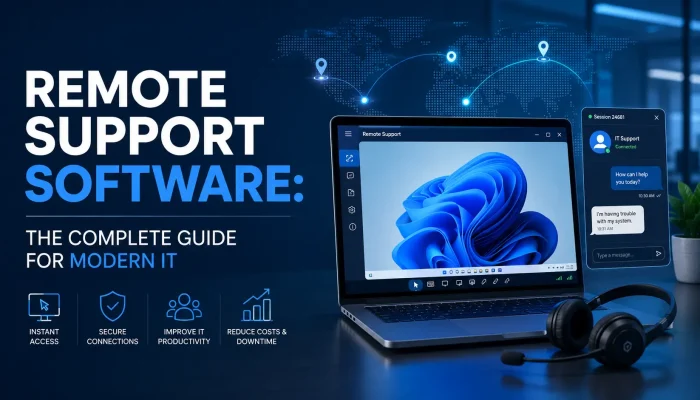

Remote Support Software: Driving Operational Continuity and Uptime
How remote troubleshooting tools eliminate geographical barriers, slash technical delays, and secure distributed workforces.
In today’s fast-paced digital economy, businesses cannot afford extended technical downtime. When a server goes down, a software glitch freezes a workstation, or an employee encounters a technical roadblock, immediate intervention is required. This is where remote troubleshooting steps in as an indispensable asset for modern IT management.
By allowing technical teams to access and control devices from anywhere in the world, these tools bridge the gap between physical distance and rapid issue resolution. Whether you are managing a fully remote workforce or supporting clients across different regions, understanding the mechanics, benefits, and security implications of remote support software is essential for maintaining operational continuity.
What is Remote Support Software?
At its core, remote support software is a technology that enables an IT technician to connect to a distant computer, tablet, or smartphone over the internet. Once connected, the technician can view the user’s screen, control the mouse and keyboard, transfer files, and execute diagnostic commands as if they were sitting directly in front of the device.
This capability relies on secure streaming protocols and agent software installed on the target machine. By leveraging high-speed internet connections, these platforms turn complex, blind troubleshooting phone calls into visual, hands-on problem-solving sessions.
Key Benefits of Implementing Remote Support Software
Deploying the right IT infrastructure tools transforms how organizations handle technical roadblocks. Here are the primary advantages of integrating these solutions into your workflow:
1. Drastic Reduction in Downtime: When technical issues strike, every minute lost equals lost revenue. Instead of waiting for a technician to travel to a physical location, IT teams can initiate remote troubleshooting instantly. This immediate response minimizes operational delays and keeps employee productivity high.
2. Significant Cost Savings: On-site IT visits are expensive, factoring in travel time, fuel, and vehicle maintenance. Modern IT support tools eliminate geographical barriers. As a result, centralized technical teams can manage hundreds of endpoints across multiple cities without leaving their desks.
3. Seamless Scaling for Hybrid Work: With the rise of hybrid and remote work models, corporate networks are more decentralized than ever. IT support tools provide a reliable safety net for off-site employees, ensuring that corporate laptops remain secure, updated, and functional regardless of where the employee is logged in.
Core Features to Look For in Help Desk Software
Not all platforms are created equal. When evaluating help desk software and remote assistance tools, ensure the following features are included to maximize your return on investment:
Unattended vs. Attended Access: Attended Access requires the end-user to be present to grant permission, typically via a temporary session code, making it ideal for customer service and ad-hoc troubleshooting. Unattended Access allows IT administrators to access servers or workstations even when no one is logged in, which is critical for after-hours maintenance, patch management, and automated updates.
Multi-Monitor Navigation: Modern professionals frequently use dual or triple monitor setups. High-quality platforms let technicians switch between multiple screens easily. They can also view several screens on a single dashboard. This reduces navigation lag during complex repairs.
Secure File Transfer: Troubleshooting often requires deploying software patches, diagnostic tools, or configuration scripts. Built-in, encrypted file transfer protocols allow technicians to move data safely between machines without relying on insecure third-party cloud storage or email attachments.
Prioritizing Cybersecurity in Remote Desktop Access
Granting external access to an internal machine naturally introduces potential security vulnerabilities if not managed correctly. Ensuring secure remote desktop access should be a top priority for any organization.
To safeguard your data, look for platforms that strictly enforce the following security protocols:
- End-to-End Encryption: All data transmitted during a session, including keystrokes and screen streams, must be encrypted using advanced protocols like AES 256-bit encryption.
- Multi-Factor Authentication (MFA): Requiring technicians to verify their identity via MFA significantly reduces the risk of unauthorized access due to compromised credentials.
- Granular Session Logging: Comprehensive audit trails that record who accessed which device, when, and what actions were performed are vital for regulatory compliance (such as HIPAA or SOC 2) and internal security reviews.
- Permission-Based Prompts: End-users should retain ultimate control, with the ability to terminate a secure remote control session instantly at any time if they notice unusual behavior.
Choosing the Right Solution for Your Business
Selecting the perfect help desk software depends entirely on your organizational scale, infrastructure complexity, and compliance needs. Smaller businesses might prioritize ease of use and quick setup, while enterprise-level environments require deep integrations with existing ticketing systems, automated scripting capabilities, and robust Active Directory syncs.
By aligning your specific operational workflows with a tool that balances user-friendly interfaces with airtight security protocols, you can transform your technical support from a reactive bottleneck into a proactive driver of efficiency.
Remote Assistance Core Functions
On-Demand Attended Support
Establishes rapid, permission-based connection parameters via temporary validation keys to assist live users with active software disruptions.
Off-Hours Unattended Maintenance
Grants authenticated administrators permanent device entry pathways to perform system patch operations and server validations overnight.
Airtight Cryptographic Baselines
Enforces comprehensive end-to-end data encryptions alongside verified session token logging sequences to maintain strict regulatory compliances.
Frequently Asked Questions
While both technologies allow remote access to devices, desktop software is typically designed for an individual to access their own office computer from home. Support software, however, includes specialized features for IT technicians, such as session switching, ticketing integration, diagnostic toolkits, and permission prompts.
Yes, most modern solutions support cross-platform functionality. Technicians can connect from a PC to troubleshoot iOS or Android smartphones and tablets, which is highly beneficial for mobile device management (MDM).
Yes, provided you choose an industry-standard platform that utilizes end-to-end encryption, multi-factor authentication, and strict access controls. It is crucial to source your software from trusted vendors and avoid sharing access credentials with unverified entities.
Conclusion
Investing in reliable remote support software is no longer optional for businesses that want to remain competitive in today’s digital landscape. It streamlines operations while reducing unnecessary delays. In addition, it helps protect employees from prolonged technical disruptions and improves overall productivity. As a result, organizations can maintain a resilient IT infrastructure and minimize the impact of unexpected technical issues.
Ready to Elevate Your Remote Infrastructure Support?
Ready to elevate your IT management and safeguard your business endpoints? Contact us today to explore tailored technical solutions and proactive support strategies designed to keep your business running smoothly.
Connect with an IT Expert