

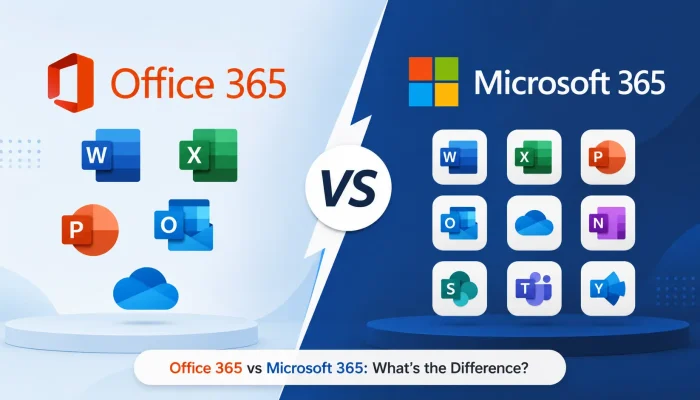

You went looking for a business email and Word subscription, and the pricing page gave you two names that look almost identical. One says Office, one says Microsoft, and both cost real money every month.
The confusion around Office 365 vs Microsoft 365 costs businesses more than a few minutes of research. Teams buy the wrong tier, pay for security features they already own, or skip protection they actually need.
This guide clears it up. You will learn what each name covers, which features changed, and how to choose the plan that matches how your team actually works.
What Is Office 365 and How Did It Work?
Microsoft launched Office 365 in 2011 as a subscription bundle. Instead of buying a boxed copy of Office and using it until it aged out, you paid monthly or yearly and always ran the current version.
That subscription covered the apps most offices live in: Word, Excel, PowerPoint, and Outlook. Business plans added Exchange email, SharePoint, OneDrive storage, and later Teams.
So the core Office 365 features centered on productivity. You wrote documents, built spreadsheets, sent email, and stored files in the cloud. Security, device management, and identity tools sat outside that package and cost extra.
What Is Microsoft 365 for Modern Teams?
In April 2020, Microsoft renamed most Office 365 plans to Microsoft 365. The name change reflected a broader product. Microsoft 365 bundles the same productivity apps with cloud security, identity management, and in some plans, Windows licensing.
Microsoft 365 features now include Defender for Office 365, Intune device management, conditional access policies, data loss prevention, and Entra ID for controlling who signs in from where.
Think of it this way. Office 365 sold you the tools your staff uses. Microsoft 365 sells you the tools plus the layer that protects them.
Office 365 vs Microsoft 365: Key Changes
The single biggest source of confusion in Office 365 vs Microsoft 365 is that the rebrand was not universal. Microsoft kept the Office 365 name on its enterprise E1, E3, and E5 plans while moving small business plans fully to Microsoft 365.
That means both names still appear on Microsoft’s own site in 2026. An Office 365 E3 subscription exists today and is a current product, not a legacy one.
The practical Office 365 Microsoft 365 difference comes down to scope. Office 365 enterprise plans deliver apps and services. Microsoft 365 enterprise plans add Windows Enterprise, Intune, and advanced threat protection on top.
Office 365 Features That Still Carry Over
Nothing disappeared during the rename. Every app you relied on before still ships in both product lines, and file formats stayed identical.
You still get the desktop and web versions of Word, Excel, PowerPoint, and Outlook. Exchange Online handles email with a 50 GB or 100 GB mailbox depending on tier. SharePoint manages your internal websites, and OneDrive offers 1 TB per user.
Teams remains included in most regions, though Microsoft now sells it separately in the EU and a few other markets. If your business already runs on these apps, managed IT support makes the transition between tiers far less disruptive than most owners expect.
Microsoft 365 Features That Go Further
The security stack is where you feel the upgrade. Defender for Office 365 scans links and attachments before they reach an inbox, which stops the phishing emails that get past basic filters.
Intune lets you push policies to laptops and phones, wipe a lost device remotely, and require encryption before a machine touches company data. Entra ID Premium adds conditional access, so a login from an unrecognized country gets blocked or challenged automatically.
Compliance tools round it out. Data loss prevention flags credit card numbers and client records before someone emails them out, and retention policies keep records for the period your industry requires.
Microsoft 365 vs Office 365 for Business
Choose based on what you already own. If you run a separate antivirus subscription, a device management tool, and a backup service, Microsoft 365 Business Premium often replaces all three for less total spend.
Small teams under 300 users get the best value from Business Standard or Business Premium. Standard covers apps and email. Premium adds Intune, Defender, and Azure Information Protection.
Larger organizations compare Office 365 E3 against Microsoft 365 E3. The Microsoft version costs more per user but includes Windows Enterprise licensing and full device management, which usually wins on total cost.
Frequently Asked Questions
Did my Office 365 subscription automatically become Microsoft 365?
Yes, if you held a small business or personal plan. Microsoft converted those subscriptions in April 2020 with no price increase and no action required from you. Enterprise E1, E3, and E5 kept the Office 365 name.
Does Microsoft 365 cost more than Office 365?
At matching tiers, yes. Microsoft 365 Business Premium costs roughly double Business Standard, because it adds device management and advanced threat protection that Standard leaves out.
Can I still buy Office 365 in 2026?
Yes. Office 365 E1, E3, and E5 remain available for enterprise customers. Microsoft sells them alongside the Microsoft 365 lineup rather than as replacements.
What is the real difference between Office 365 and Microsoft 365?
Office 365 offers cloud services and productivity software. Microsoft 365 delivers those same apps plus security, identity, and device management in one license.
Conclusion
The Office 365 vs Microsoft 365 decision is not about which name sounds newer. It is about whether you want productivity alone or productivity with security built in.
Audit what you pay for today. If antivirus, backup, and device management sit on separate invoices, a Microsoft 365 plan likely consolidates them and lowers your monthly total.
Solzorro helps Utah businesses map their current licensing against actual usage, then migrate without downtime or lost mail. Get in touch to review your setup before your next renewal date.