

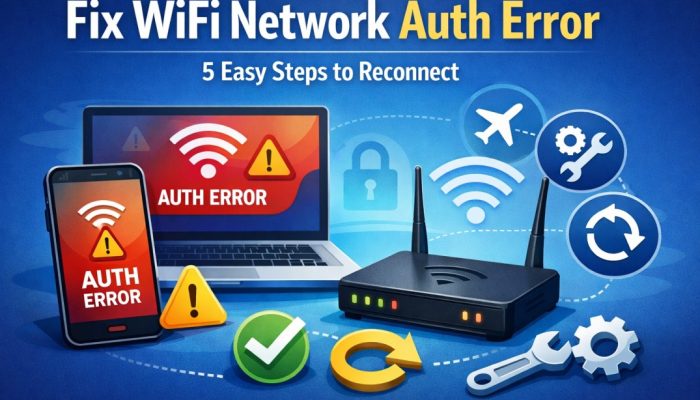

Fixing “WiFi Network Auth” and Authentication Errors
Is your phone or laptop showing a “WiFi Network Auth” or “Authentication Error” even though the password is correct? It’s incredibly annoying, but you aren’t alone. At Solzorro, we find this usually stems from a minor communication “glitch” between your device and the router. Here is exactly how to fix it in minutes.
Restoring Your Connection
1. Toggle Airplane Mode
Turn it on for 10 seconds, then off. This forces your wireless chip to “reset” its search, often clearing minor cache errors.
2. Forget the Network
Go to WiFi settings, select “Forget Network,” then reconnect from scratch. This solves the issue for 80% of users.
3. The 30-Second Rule
Unplug your router for 30 seconds. This clears its temporary memory and resolves many authentication loops.
4. Check Security Protocols
Ensure your router isn’t locked to WPA3 if your device only supports WPA2. Switching to WPA2/WPA3 Mixed Mode is the best fix.
5. Reset Network Settings
A last resort: Settings > System > Reset > Reset Network Settings. Note: This will delete saved passwords and Bluetooth pairings.
Expert Tip: Static IPs and Conflicts
Sometimes two devices try to claim the same “ID” (IP address), causing the router to kick one off. If you’re tech-savvy, switch your device from DHCP to a Static IP in the advanced settings. This gives your device a “private lane” that no other hardware can take.
Student Note: If you are on campus, you may need a specific app for UTHealth Wireless Configuration to authenticate correctly.
Frequently Asked Questions
Can a software update cause this error?
Yes. Recent updates may default to WPA3 security, which older routers can’t understand. Toggling your router to “Mixed Mode” usually bridges the gap.
Does “Forgetting” a network delete my photos?
No. It only removes the saved WiFi password and local settings. Your personal data remains untouched.
What if this happens on every device in the building?
Then the issue is likely your router or your ISP. You may need a firmware update or a professional WiFi installation for better coverage.
Need Professional WiFi Support?
If your business or organization is struggling with persistent dead zones, recurring auth errors, or slow speeds, the problem is likely deeper than a simple glitch. Solzorro provides expert WiFi consulting to optimize performance across Utah.
→ Optimize Your Network NowSolzorro: Reliability. Security. Consistent High-Speed Coverage.